Posts: 157
Threads: 25
Joined: Jun 2009
05-10-2016, 07:48 AM
(This post was last modified: 09-15-2017, 10:20 AM by Kurai.)
Aero the Acro-Bat 2 (Genesis)
[spoiler]
[/spoiler]
Alien vs. Predator: Requiem (Mobile)
[spoiler]
[/spoiler]
Aliens (FDS/NES)
[spoiler]
[/spoiler]
Bubsy in Claws Encounters of the Furred Kind (Genesis)
[spoiler]
[/spoiler]
Flicky (Genesis)
[spoiler]
[/spoiler]
Freedom Planet (PC)
[spoiler]
[/spoiler]
High Seas Havoc (Genesis)
[spoiler]
[/spoiler]
Rakuen (PC)
[spoiler]
[/spoiler]
Ristar (Genesis)
[spoiler]
[/spoiler]
Socket / Time Dominator (Genesis)
[spoiler]
[/spoiler]
Sonic the Hedgehog (Android/IOS)
[spoiler]
[/spoiler]
Sonic the Hedgehog 2 (Android/IOS)
[spoiler]
[/spoiler]
Sonic the Hedgehog (Custom / Edited)
[spoiler]
[/spoiler]
Super Fantasy Zone (Genesis)
[spoiler]
[/spoiler]
Wiz 'n' Liz (Genesis)
[spoiler]
[/spoiler]
Posts: 157
Threads: 25
Joined: Jun 2009
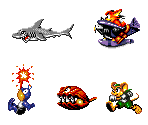
Large images. More from High Seas Havoc
[spoiler]
![[Image: 79047]](http://www.spriters-resource.com/download/79047/)
![[Image: 79048]](http://www.spriters-resource.com/download/79048/)
[/spoiler]
Posts: 965
Threads: 20
Joined: Jan 2014
Only thing that bothers me is how much wasted space is in those sheets.
the rips, themselves, look fine, though.
Posts: 157
Threads: 25
Joined: Jun 2009
05-18-2016, 06:35 AM
(This post was last modified: 05-18-2016, 06:36 AM by Kurai.)
(05-18-2016, 02:33 AM)DarkGrievous7145 Wrote: Only thing that bothers me is how much wasted space is in those sheets.
the rips, themselves, look fine, though.
I've been keeping the individual graphics 32pixels apart for larger ones and 16pixels apart for the smaller ones.
I personally prefer this as it allows for easier selection and editing.
But I'm not opposed to lowering the distance in future rips if that's what's generally preferred?
Posts: 5,502
Threads: 134
Joined: Dec 2011
Generally we just don't want huge gaps. Reasonable spacing between sprites is fine, as long as it doesn't seem to waste space. I think what DG was referring to was stuff like the bit in the second sheet, just above the image with the girl who washed up on the shore. There's a bit of an empty gap on the right. It's not a HUGE issue and I think can see your logic, but if it's not a problem then minimising that is generally preferred.
The gaps between things could be made a bit smaller, again not a big issue but it wouldn't hurt.
Generally these seem pretty good though!
Posts: 157
Threads: 25
Joined: Jun 2009
Okie dokes!
Will make sure to keep it fairly minimal from now on.

Posts: 157
Threads: 25
Joined: Jun 2009
![[Image: 79103.png]](http://www.spriters-resource.com/resources/sheets/76/79103.png)
He's a cat right? A sabertooth cat pirate, after the Emerald.
High Seas Havoc is totally my headcanon as the prequel to Sonic Rush. >_>
Posts: 13,415
Threads: 305
Joined: Feb 2009
He looks like a dragon to me. :p
Posts: 3,964
Threads: 107
Joined: May 2008
Posts: 13,415
Threads: 305
Joined: Feb 2009
Posts: 157
Threads: 25
Joined: Jun 2009
06-20-2016, 11:34 AM
(This post was last modified: 06-20-2016, 11:45 AM by Kurai.)
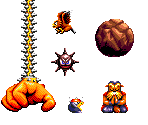
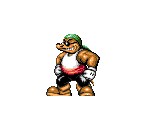
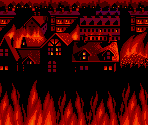
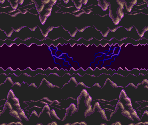
So I was playing Super Fantasy Zone the other day and I was surprised it hasn't been ripped yet at all, I mean Opa-Opa was considered Sega's mascot by some. Probably since it never got a US release... :/
Well anyway! Letta' Rip!

![[Image: 80065]](http://www.spriters-resource.com/download/80065/)
![[Image: 80066]](http://www.spriters-resource.com/download/80066/)
![[Image: 80063]](http://www.spriters-resource.com/download/80063/)
![[Image: 80064]](http://www.spriters-resource.com/download/80064/)
For the Parts Shop I added in empty cards in case anyone wanted to make their own and ripped the font ('Z' is custom, first class spriting work there!

)
(05-23-2016, 09:27 AM)Ton Wrote: A Wragon.
I want to say a Dralrus, but then I just picture it going "Howdy y'all!" XD
Posts: 13,415
Threads: 305
Joined: Feb 2009
Nice job! Btw, is there much left to High Seas Havoc? That game had some great sprites.
Posts: 157
Threads: 25
Joined: Jun 2009
06-20-2016, 12:02 PM
(This post was last modified: 06-20-2016, 12:04 PM by Kurai.)
(06-20-2016, 11:58 AM)Ton Wrote: Btw, is there much left to High Seas Havoc?
A fair amount. I'm stuck on trying to perfectly rip Mount Chester's aurora, my OCD refuses to give up. XD
I've got many of the sprites ripped, just have to order them and put them into sheet/ double check for palette issues. I've noticed that GensKmod seems to give extracted images slightly different palettes from what it actually displays in the game window. >_<
Speaking of which, I've noticed a palette error in Techokami's Otarucean 2 rip with the kelp, how would I go about fixing that?
Posts: 879
Threads: 25
Joined: May 2008
I've been using regular Gens for my rips as the VDP Viewer is really helpful. here's the gist of it. I have Gens GS r7
Go to CPU>Debug>VDP. Make sure the colour adjust is set to raw as that's the default plaette and that there's zero brightness & contrast.
You use the [+] and minus [-] keys to scroll through the tiles. The asterisk
[*] key scrolls through the palettes.
The keys mentioned above are the ones on the right of the keyboard, so you don't need to use the shift and number keys.
Keep in mind that the transparency colour varies depending on the part of the game you're on.
Another thing too: Sometimes you have to keep pausing the game to get each frame as not all frames appear in the tiles.
Hope that helps
Posts: 157
Threads: 25
Joined: Jun 2009
06-21-2016, 03:31 AM
(This post was last modified: 06-21-2016, 05:24 AM by Kurai.)
What I mostly do is remove the background layers and rip from the main game menu, using the frame step (shift+escape) to capture individual frames but using the VDP-Sprites and such for things that are offscreen, such as with the Bernardo sprite. The top of his intro sprites was offscreen so I fixed what I took from the window with bits from the VDP-Sprites, that's when I noticed the VDP-Sprites has a slightly off palette compared to the actual plain VDP option or the game window. An easy fix but it was annoying. >_<
So I'm fine on that end, just going back to check on any of the smaller rips I've done that I haven't released to be sure.
Also... Can I rip Big's Fishing Derby?

Those Big sprites aren't up anywhere and they're really nice, but it's a ROM-hack...
Edit: Also, the palette error I mentioned in Techokami's Otarucean 2 rip... Not really a palette error as an oversight. The palette used in the rip is that of when you're out of water BUT rather than just being a palette with the water colour overlayed, it's actually a different palette altogether. The colours for the kelp are replaced entirely with orange and red colours that are used for something else, while the green of the kelp is lost. so in his rip the kelp looks a gross glitchy orange when it should be green. It's hard to explain. >_<