


08-27-2015, 01:19 AM
| Important Announcement |
| Forum has been made read-only. Please click here for more information or here to return to The Spriters Resource. |
The VG Resource
›
The Resources
›
The Models Resource
›
Feedback / Showreel

 Random Talking Bush's Model Museum
Random Talking Bush's Model Museum
|
Random Talking Bush's Model Museum
|

08-27-2015, 01:23 AM

08-28-2015, 09:40 AM
Does DJ Octavio count as an NPC? Or do I have to wait until Bosses are uploaded?

08-28-2015, 02:47 PM
08-29-2015, 04:26 PM
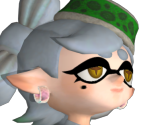
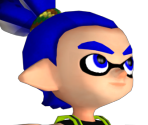
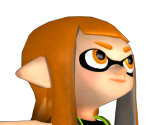
The Splatoon Callie and Marie models seem to be gray scale in their texture files, and will load as gray scale in Blender. Is this a mistake in the upload?

08-29-2015, 04:33 PM
(This post was last modified: 08-29-2015, 04:33 PM by Random Talking Bush.)
(08-29-2015, 04:26 PM)squididol Wrote: The Splatoon Callie and Marie models seem to be gray scale in their texture files, and will load as gray scale in Blender. Is this a mistake in the upload?No, it's not a mistake. Splatoon uses a lot of in-game material colouring for things, using the "_TCL" textures. You'll have to either fiddle with the material settings (like I did for the renders), or edit the textures directly (by merging a coloured _TCL texture into the _ALB).
08-29-2015, 05:36 PM
Thanks for the fast reply! I see; that makes sense.
08-30-2015, 12:07 PM
While messing around with the models in blender I fixed some of the issues I was having with Inkling Girl with colors and etc. I'm only having one issue that I fixed with manually editing the picture is the eyes having a broken texture. This doesn't happen when I disable transparency for the specific texture http://prntscr.com/8anf1w
08-30-2015, 05:07 PM
(08-30-2015, 12:07 PM)qqqjorge Wrote:Hm, are you making sure that the eyelid texture is using the alpha channel for its transparency and not the RGB intensity? Not really sure what could be done otherwise, I haven't used Blender so I don't know what would need to be done to fix that. 
09-05-2015, 11:21 AM
(08-30-2015, 05:07 PM)Random Talking Bush Wrote:(08-30-2015, 12:07 PM)qqqjorge Wrote:Hm, are you making sure that the eyelid texture is using the alpha channel for its transparency and not the RGB intensity? Not really sure what could be done otherwise, I haven't used Blender so I don't know what would need to be done to fix that. I managed to fix the issue with her eyes. Thanks! Next the Octoling eyes. There vertices are messed up beyond fixing.
09-05-2015, 11:24 AM
(This post was last modified: 09-05-2015, 11:34 AM by Random Talking Bush.)
(09-05-2015, 11:21 AM)qqqjorge Wrote:I can see why, the eye polygons are practically right up against the eyelids. Maybe I should go space them apart to match the Inklings'?(08-30-2015, 05:07 PM)Random Talking Bush Wrote:(08-30-2015, 12:07 PM)qqqjorge Wrote:Hm, are you making sure that the eyelid texture is using the alpha channel for its transparency and not the RGB intensity? Not really sure what could be done otherwise, I haven't used Blender so I don't know what would need to be done to fix that. (EDIT: Fixed the model. Re-download it for the corrected eye layering.)
09-10-2015, 07:02 PM
(This post was last modified: 11-07-2015, 06:34 AM by Random Talking Bush.)
Hyperdimension Neptunia Re;Birth 1:
Black Sister  Broccoli  Cyberconnect2  Nepgear  Purple Sister 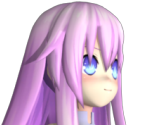 Ram 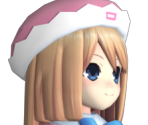 Rom 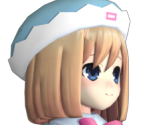 Tekken 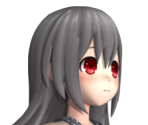 Uni  White Sister Ram 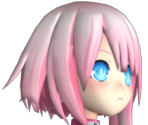 White Sister Rom 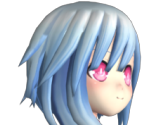 Clyde  Ms. Clyde 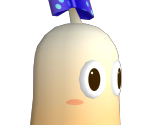 Plum-met  Hyperdimension Neptunia Re;Birth 2: Sisters Generation: 5pb.  Falcom 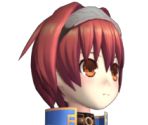 CFW Judge 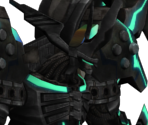 Hyperdimension Neptunia Victory: First-Gen Compa / Compile 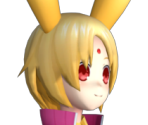 [spoiler=Lots of words about those that I expect most people will just skip past]Compared to the older Neptunia models I've ripped, all of those now have fixed bone rotations (the old method I had been using up until now had some issues), higher resolution textures (minus the Plum-met, which just has its new textures) and proper, in-game default face textures, the enemies now have fixed sizes (turns out there's an "Adjust" bone just for that purpose, which I didn't know about earlier), 5pb.'s model is upgraded compared to her respective model in mk2, Nepgear and Uni have their alternate outfits as well as their proper in-game models (I only had their cutscene/high-poly models originally), and Ram, Rom and the White Sisters are finally up now (no cutscene/high-poly models for them, though, because they're actually horribly rigged -- I originally thought that was a glitch with the script, but that's not the case!). Still a lot left to go. First-Gen Compa's model just has the bone rotation/face texture fixes. Since she never returned in any of the later games due to legal reasons, she doesn't get any higher-resolution textures.[/spoiler] Super Mario 3D World: Boom Boom 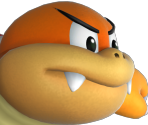 Pom Pom 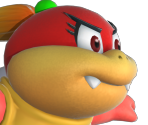 Pikmin 3: Alph 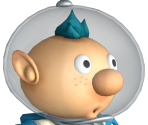 I'm going to be working on getting all of the playable characters (at least) from Super Mario 3D World, Captain Toad: Treasure Tracker and Pikmin 3 up on The Models Resource before the end of the month. I've had to do things a bit differently for these models, since I didn't want to lose the vertex colouring for 'em (for the .FBX/.DAE files at least, .SMD doesn't allow it).
09-10-2015, 09:49 PM
|
|
« Next Oldest | Next Newest »
|


Users browsing this thread: 2 Guest(s)