


This thread provides general information, visual references/resources, and tutorials for anyone who may need some.
Any changes to the project will also be adjusted here. Everything is relatively up to date.
[spoiler=GENERAL INFORMATION]
(everything here is only a minor edit of what Gors originally wrote and is subject to change)
STORY
(might need to be tweaked)
"A long, long time ago, in a galaxy far far away, the very fabric of a small world began to rapidly unravel. Four knights, Kat, Kosheh, Grooveman, and Dex frantically tried to cease the World War that had engulfed the nations of the world tSRopia. However, one of the knights, Dex, was unmercifully slain as he tried to quiet the violent hearts of tSRopia's warriors. Angered at the loss of one of his appointed knights, a massive light erupted from the sky as Dazz, the creator of this universe, descended to the world of tSRopia. He began to destroy his creations, weeping as he attempted to purify his evil engulfed world. However, he decided to spare the worlds greatest fighters. He planned on creating a new world, a resourceful based upon video games. Ultimately, he was unsatisfied with himself as well, and decided he would no longer rule as the most supreme being of the universe. Dazz decided to host a tournament to determine his successor. To make the tournament more entertaining, he embedded the contestants with the powers of the greatest fighters of Video Game history, so the mighty god Dazz would not become bored to a basic, monotonous fighting tournament. Dazz soon left in a chariot of fire, and the fighters prepared for the most important tournament in the history of tSRopia."
GAMEPLAY
The Fighters Resource (TFR), as the name suggests, is a fighting game project starring TSR's original characters. It is a 2D-fighting game that borrows a lot of gameplay elements from famous games from the genre, such as Street Fighter.
The gameplay borrows a lot from 90's 2D fighting games. Two characters face each other in a 2D field. They can walk forward and backward, jump, crouch and attack. Attacking the opponent depletes his HP. The player wins if:
1-The opponent's HP is reduced to 0;
2-The timer ends and you have more HP than the opponent.
You need to win two rounds in order to advance to the next opponent. You beat the game by winning against all opponents. Losing twice to the same opponent ends the fight and you'll be sent to a continue screen. Choosing yes will put you against the same opponent again, and choosing no ends the game.
OFFENSE
TFR has two attack buttons: Punch (P) and Kick (K). All other abilities can be performed by combining those buttons with the D-pad. Attacks can also be performed while crouching or in mid-air.
Differently from some fighters, TFR has 'BACK' and 'FORWARD' attacks. Those can be performed by pressing 'BACK' or 'FORWARD' when pressing an attack button. 'BACK' attacks are weak and evasive, causing the opponent to be launched upwards, and can be used to start combos. 'FORWARD' attacks are stronger and sends opponents away, giving you some extra space.THE 'FORWARD' AND 'BACK' DOES NOT HAVE TO DO WITH THE ATTACK'S DIRECTION.
Specials can be performed by inputting a button sequence (for example, quarter-circle+P). They're exclusive per character and some of them can be performed in mid-air. In order to balance things out, each character can have a maximum of 3 special moves.
Hitting the enemy multiple times in a row summons the 'THANK COUNTER' (aka combo counter). This depletes a good amount of the opponent's HP and gives you bonus points according to number of hits.
Grabbing is performed by pressing any of the attack buttons near opponent. Once grabbing the opponent, you can:
1-Grab-attack him by pressing any of the attack buttons. You can deal him four hits before breaking loose;
2-Throw him by pressing FORWARD+any of the attack buttons.
Note: Some characters' grab-attacks also sends opponents away.
Button-mashing will make you break loose faster.
Attacking or being attacked fills up your 'GOGNIO' bar. When full, you can perform a 'GOGNIO Special move'. They're exclusive per character and can have different effects. Basically, 'GOGNIO Special moves' are divided in two main categories:
1-Devastating move that depletes a lot of opponent's HP
2-Move that gives the player some advantage (such as healing)
DEFENSE
Defending in TFR works similarly to Street Fighter's. The character will automatically block any attack if the player presses 'BACK' button. Defending lowers the damage taken from attacks (though it'll still deplete some of the HP). You can defend while standing up, crouched and in mid-air. Note that defending will fail if the opponent attacks an unsafe spot (for example, defending while standing up does not protect you from low attacks; crouch-defending does not protect you from aerial attacks, and so on).
In addition to common defense, 'BACKPEDALLING' is also possible. 'BACKPEDALLING', or parrying in common fighter terminology, consists in the player pressing FORWARD the exact moment the attack connects. This negates the attack completely and gives you bonus points. Those bonuses increase exponentially as more successful 'BACKPEDALS' are performed, and reverts back to normal if the player misses it or defends normally. Because it requires precise timing, it is difficult to 'BACKPEDAL'.
Some characters' 'BACKPEDALLING' have special effects, such as reflecting projectiles back.
Finally, performing a 'BACKPEDAL' while being attacked in middle of a combo resets the opponent's 'THANK COUNTER', removes the bonus points and stuns the opponent for a long time, giving the player chance to comeback.
SPRITALITY
Spritality is an event that is triggered when you win the second round and has a full 'GOGNIO bar'. Inputting a certain button sequence will deal the unconscious opponent a final blow. Think Mortal Kombat's Fatality, but with less gore.
It is an special animation unique to each caracter that 'humiliates' the opponent, such as changing him into an anime girl (Midnight Moe), sending him into outer space (Chaoxys') etc. Be creative!
HELPERS
Helpers are characters that you can summon a fixed number of times, to aid you in the battle. Think Marvel VS Capcom's helper system.
A helper has four main animations:
1-Entrance;
2-Attack;
3-Leaving;
4-Hurt.
Note: Some helpers don't need hurt frames.
PLAYERS
As of now, there is no exact number on how many players there are.
Each playable character will have its own thread. For the sake of consistency, please title the thread the name of the player that you want to appear on the character select screen with "(PLAYER)" after it.
In your thread, there should be a brief description of how the character plays (lightweight, heavy, long/mid/short range, etc.) and some gauge of how their attack/defense/speed/jump are distributed.
The players all have specific animations and frames that need to be made. They are:
BASICS
BACKGROUNDS
The background canvases are 640x240px, with scrolling intended. There really aren't too many guidelines for this at the moment. The stages can be character specific, or related to TVGR stuff (ie. Spamhaul, the lounge, GD, etc.).
The background's colors should complement the main palette's graphics, but because progress on backgrounds in preliminary, there is no confirmation on if colors from the palette have to be used.
[/spoiler]
[spoiler=REFERENCE MATERIAL]
NOTE
Almost ALL graphics in TFR are composed of boxes with dimensions that are multiples of 8.
Players should fit in 64x64px boxes generally--range for certain attacks can be done by making some frames 72x72, 72x64, 64x72, etc.
Animations should rarely exceed 5 frames. The most basic frame count is 4 (not everything is tween-level fluid)
MASTER PALETTE
![[Image: 8G2UPAF.png]](http://i.imgur.com/8G2UPAF.png)
TEMPLATES
![[Image: ibe3pw3597TLcU.PNG]](http://i1.minus.com/ibe3pw3597TLcU.PNG)
GAME ASSETS
![[Image: d1f4897901d0f263600e2df6a01447a0.png]](http://i.gyazo.com/d1f4897901d0f263600e2df6a01447a0.png)
![[Image: d0d537d2af373d9e0c4b6bcca8822de8.png]](http://i.gyazo.com/d0d537d2af373d9e0c4b6bcca8822de8.png)
![[Image: 724260b179e61a406840f0d36a2117ce.png]](http://i.gyazo.com/724260b179e61a406840f0d36a2117ce.png)
![[Image: ecaa7552b598d67af0164650648bc517.png]](http://i.gyazo.com/ecaa7552b598d67af0164650648bc517.png)
![[Image: 88bf9697dbb87f99e94accd5c8c2deb3.png]](http://i.gyazo.com/88bf9697dbb87f99e94accd5c8c2deb3.png)
![[Image: 258338387145be8c57d3f31a4b386569.png]](http://i.gyazo.com/258338387145be8c57d3f31a4b386569.png)
![[Image: 5RKI0QO.png]](http://i.imgur.com/5RKI0QO.png)
HELPER EXAMPLES
![[Image: VZHnDmS.png]](http://i.imgur.com/VZHnDmS.png)
![[Image: mXpO0t3.png]](http://i.imgur.com/mXpO0t3.png)
![[Image: G9yER6x.gif]](http://i.imgur.com/G9yER6x.gif)
![[Image: vPRoqlO.gif]](http://i.imgur.com/vPRoqlO.gif)
![[Image: fyxhZsi.gif]](http://i.imgur.com/fyxhZsi.gif)
![[Image: SG47Y2b.gif]](http://i.imgur.com/SG47Y2b.gif)
![[Image: sPJvvAg.png]](http://i.imgur.com/sPJvvAg.png)
PLAYER MUGSHOT EXAMPLES
![[Image: TXhe4mG.png]](http://i.imgur.com/TXhe4mG.png)
CHARACTER SELECT SCREEN BETA (LARGE MUGSHOT EXAMPLES)
![[Image: DtFdvZx.gif]](http://i.imgur.com/DtFdvZx.gif)
CONTINUE SCREEN SKETCHES
![[Image: m0xqgxz.gif]](http://i.imgur.com/m0xqgxz.gif)
![[Image: 2a6Dpvm.gif]](http://i.imgur.com/2a6Dpvm.gif)
PLAYER FORWARD WALK EXAMPLES
![[Image: QGYQkoM.gif]](http://i.imgur.com/QGYQkoM.gif)
[/spoiler]
[spoiler=TUTORIALS]
NOTE
Almost ALL graphics in TFR are composed of boxes with dimensions that are multiples of 8.
Players should fit in 64x64px boxes generally--range for certain attacks can be done by making some frames 72x72, 72x64, 64x72, etc.
Animations should rarely exceed 5 frames. The most basic frame count is 4 (not everything is tween-level fluid)
BASICS
[spoiler]![[Image: xq9LFCB.png]](http://i.imgur.com/xq9LFCB.png) [/spoiler]
[/spoiler]
MOTION BLUR
[spoiler]![[Image: 7C3OwPv.gif]](http://i.imgur.com/7C3OwPv.gif) [/spoiler]
[/spoiler]
STRONG ATTACKS
[spoiler]![[Image: MYWSZ3r.gif]](http://i.imgur.com/MYWSZ3r.gif) [/spoiler]
[/spoiler]
[/spoiler]
Any changes to the project will also be adjusted here. Everything is relatively up to date.
[spoiler=GENERAL INFORMATION]
(everything here is only a minor edit of what Gors originally wrote and is subject to change)
STORY
(might need to be tweaked)
"A long, long time ago, in a galaxy far far away, the very fabric of a small world began to rapidly unravel. Four knights, Kat, Kosheh, Grooveman, and Dex frantically tried to cease the World War that had engulfed the nations of the world tSRopia. However, one of the knights, Dex, was unmercifully slain as he tried to quiet the violent hearts of tSRopia's warriors. Angered at the loss of one of his appointed knights, a massive light erupted from the sky as Dazz, the creator of this universe, descended to the world of tSRopia. He began to destroy his creations, weeping as he attempted to purify his evil engulfed world. However, he decided to spare the worlds greatest fighters. He planned on creating a new world, a resourceful based upon video games. Ultimately, he was unsatisfied with himself as well, and decided he would no longer rule as the most supreme being of the universe. Dazz decided to host a tournament to determine his successor. To make the tournament more entertaining, he embedded the contestants with the powers of the greatest fighters of Video Game history, so the mighty god Dazz would not become bored to a basic, monotonous fighting tournament. Dazz soon left in a chariot of fire, and the fighters prepared for the most important tournament in the history of tSRopia."
GAMEPLAY
The Fighters Resource (TFR), as the name suggests, is a fighting game project starring TSR's original characters. It is a 2D-fighting game that borrows a lot of gameplay elements from famous games from the genre, such as Street Fighter.
The gameplay borrows a lot from 90's 2D fighting games. Two characters face each other in a 2D field. They can walk forward and backward, jump, crouch and attack. Attacking the opponent depletes his HP. The player wins if:
1-The opponent's HP is reduced to 0;
2-The timer ends and you have more HP than the opponent.
You need to win two rounds in order to advance to the next opponent. You beat the game by winning against all opponents. Losing twice to the same opponent ends the fight and you'll be sent to a continue screen. Choosing yes will put you against the same opponent again, and choosing no ends the game.
OFFENSE
TFR has two attack buttons: Punch (P) and Kick (K). All other abilities can be performed by combining those buttons with the D-pad. Attacks can also be performed while crouching or in mid-air.
Differently from some fighters, TFR has 'BACK' and 'FORWARD' attacks. Those can be performed by pressing 'BACK' or 'FORWARD' when pressing an attack button. 'BACK' attacks are weak and evasive, causing the opponent to be launched upwards, and can be used to start combos. 'FORWARD' attacks are stronger and sends opponents away, giving you some extra space.THE 'FORWARD' AND 'BACK' DOES NOT HAVE TO DO WITH THE ATTACK'S DIRECTION.
Specials can be performed by inputting a button sequence (for example, quarter-circle+P). They're exclusive per character and some of them can be performed in mid-air. In order to balance things out, each character can have a maximum of 3 special moves.
Hitting the enemy multiple times in a row summons the 'THANK COUNTER' (aka combo counter). This depletes a good amount of the opponent's HP and gives you bonus points according to number of hits.
Grabbing is performed by pressing any of the attack buttons near opponent. Once grabbing the opponent, you can:
1-Grab-attack him by pressing any of the attack buttons. You can deal him four hits before breaking loose;
2-Throw him by pressing FORWARD+any of the attack buttons.
Note: Some characters' grab-attacks also sends opponents away.
Button-mashing will make you break loose faster.
Attacking or being attacked fills up your 'GOGNIO' bar. When full, you can perform a 'GOGNIO Special move'. They're exclusive per character and can have different effects. Basically, 'GOGNIO Special moves' are divided in two main categories:
1-Devastating move that depletes a lot of opponent's HP
2-Move that gives the player some advantage (such as healing)
DEFENSE
Defending in TFR works similarly to Street Fighter's. The character will automatically block any attack if the player presses 'BACK' button. Defending lowers the damage taken from attacks (though it'll still deplete some of the HP). You can defend while standing up, crouched and in mid-air. Note that defending will fail if the opponent attacks an unsafe spot (for example, defending while standing up does not protect you from low attacks; crouch-defending does not protect you from aerial attacks, and so on).
In addition to common defense, 'BACKPEDALLING' is also possible. 'BACKPEDALLING', or parrying in common fighter terminology, consists in the player pressing FORWARD the exact moment the attack connects. This negates the attack completely and gives you bonus points. Those bonuses increase exponentially as more successful 'BACKPEDALS' are performed, and reverts back to normal if the player misses it or defends normally. Because it requires precise timing, it is difficult to 'BACKPEDAL'.
Some characters' 'BACKPEDALLING' have special effects, such as reflecting projectiles back.
Finally, performing a 'BACKPEDAL' while being attacked in middle of a combo resets the opponent's 'THANK COUNTER', removes the bonus points and stuns the opponent for a long time, giving the player chance to comeback.
SPRITALITY
Spritality is an event that is triggered when you win the second round and has a full 'GOGNIO bar'. Inputting a certain button sequence will deal the unconscious opponent a final blow. Think Mortal Kombat's Fatality, but with less gore.
It is an special animation unique to each caracter that 'humiliates' the opponent, such as changing him into an anime girl (Midnight Moe), sending him into outer space (Chaoxys') etc. Be creative!
HELPERS
Helpers are characters that you can summon a fixed number of times, to aid you in the battle. Think Marvel VS Capcom's helper system.
A helper has four main animations:
1-Entrance;
2-Attack;
3-Leaving;
4-Hurt.
Note: Some helpers don't need hurt frames.
PLAYERS
As of now, there is no exact number on how many players there are.
Each playable character will have its own thread. For the sake of consistency, please title the thread the name of the player that you want to appear on the character select screen with "(PLAYER)" after it.
In your thread, there should be a brief description of how the character plays (lightweight, heavy, long/mid/short range, etc.) and some gauge of how their attack/defense/speed/jump are distributed.
The players all have specific animations and frames that need to be made. They are:
BASICS
- IDLE: Animation that plays while the player is static. Should be a simple loop.
FORWARD WALK: For when the player is moving towards the opponent
BACKWARD WALK: For when the player is moving away from the opponent
DUCK: The player is ducking (1-2 frames for transitions, 1 duck frame)
FORWARD JUMP: This can be the same animation for jumping in place as well
BACKWARD JUMP: It CAN be the same as the forward, but please check to see if it look okay
- PUNCH 1: The first punch
PUNCH 2: The second punch--it is used right after punch 1, so make sure they transition appropriately
FORWARD PUNCH: A strong attack that blows the opponent away
BACKWARD PUNCH: A weaker move to knock the opponent of his/her feet
DUCK PUNCH: The punch used while the player is ducking
JUMP PUNCH: An attack the player uses in the air
KICK 1: The first kick
KICK 2: The second kick-it is used right after kick 1, so make sure they transition appropriately
FORWARD KICK: A strong attack that pushes the opponent away
BACKWARD KICK: An attack intended to knock the opponent off of his/her feet
DUCK KICK: An attack used while the player is ducking
JUMP KICK: An attack intended to be used in air
SPECIAL 1: A special attack (Can be offensive, defensive, healing, etc.)
SPECIAL 2: A special attack (Can be offensive, defensive, healing, etc.)
SPECIAL 3: A special attack (Can be offensive, defensive, healing, etc.)
GRAB: For when the player grabs hold of the opponent (1-2 frame transition and pose)
GRAB ATTACK: A simple attack that the player uses while grabbing the opponent (should be a relatively simple loop)
THROW: The player throws the opponent (should transition from the grab pose)
- DEFEN
 For when the player is defending (1-2 frame transition, 1-2 frame pose)
DUCK DEFEN The defense pose for when the player is ducking (should transition from duck pose)
JUMP DEFEN The defense pose for when the player is in the air (should transition from jump pose)
HIT POSES: There should be 6 (They can each be one pose--some may overlap):- HIT: For when the player is regularly hit
HIT HAR For when the player is sent flying
DUCK HIT: For when the player is hit while ducking
JUMP HIT: For when the player is hit while in the air
FACEPLANT: For when the player lands or is hit to the floor
KO: For when the player is knocked out and either recovers or loses
WIN: The player's victory animation
- HIT: For when the player is regularly hit
- BURNT: For when the player is burnt
FROZEN: For when the player is frozen (see here for template)
ELECTROCUTED For when the player is electrocuted
STRAWBERRY: A status condition where the player is trapped in a Strawberry (see here for the template graphic)
DEPIXELIZE A status condition specific to a character's GOGNIO move
MIDNIGHT MOE: from Vipershark's Spritality--the player is transformed into a female character from an anime/manga or video game
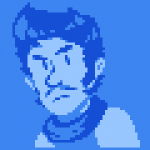
MUGSHOT: 64x64px, styled loosely off of Jojo's Bizarre Adventure styled mugshots (lightsource from behind, so that shadows are in the center of the face)
TINY ICON: 16x16px, the player icon by the health meter
LARGE MUGSHOT: A large mugshot for the character select screen (examples--C2B/Gors/Neko/Ocks). 240px tall and between 128 and 160px wide (clipping/cut off on one side)
BACKGROUNDS
The background canvases are 640x240px, with scrolling intended. There really aren't too many guidelines for this at the moment. The stages can be character specific, or related to TVGR stuff (ie. Spamhaul, the lounge, GD, etc.).
The background's colors should complement the main palette's graphics, but because progress on backgrounds in preliminary, there is no confirmation on if colors from the palette have to be used.
[/spoiler]
[spoiler=REFERENCE MATERIAL]
NOTE
Almost ALL graphics in TFR are composed of boxes with dimensions that are multiples of 8.
Players should fit in 64x64px boxes generally--range for certain attacks can be done by making some frames 72x72, 72x64, 64x72, etc.
Animations should rarely exceed 5 frames. The most basic frame count is 4 (not everything is tween-level fluid)
MASTER PALETTE
TEMPLATES
GAME ASSETS
HELPER EXAMPLES
PLAYER MUGSHOT EXAMPLES
CHARACTER SELECT SCREEN BETA (LARGE MUGSHOT EXAMPLES)
CONTINUE SCREEN SKETCHES
PLAYER FORWARD WALK EXAMPLES
[/spoiler]
[spoiler=TUTORIALS]
NOTE
Almost ALL graphics in TFR are composed of boxes with dimensions that are multiples of 8.
Players should fit in 64x64px boxes generally--range for certain attacks can be done by making some frames 72x72, 72x64, 64x72, etc.
Animations should rarely exceed 5 frames. The most basic frame count is 4 (not everything is tween-level fluid)
BASICS
[spoiler]
[/spoiler]MOTION BLUR
[spoiler]
[/spoiler]STRONG ATTACKS
[spoiler]
[/spoiler][/spoiler]




![[Image: x06dbnm.png]](http://i.imgur.com/x06dbnm.png)


 (^ - ^)
![[Image: iuuAszB.png]](http://i.imgur.com/iuuAszB.png)
![[Image: El4Eqni.png]](http://i.imgur.com/El4Eqni.png)
![[Image: t4ObG0h.png]](http://i.imgur.com/t4ObG0h.png)
![[Image: uaNXHzN.gif]](http://i.imgur.com/uaNXHzN.gif)

![[Image: mzw5nopq.bn1.png]](http://iforce.co.nz/i/mzw5nopq.bn1.png)