01-24-2012, 05:49 AM
(This post was last modified: 01-24-2012, 10:59 PM by RequiemOfRawr.)
I know in Blender you could just go into Edit Mode, and select the parts that needs to be separated, then press P and choose By Selection, and it will separated your mesh based on the selected parts.
How would I go about doing this in 3DS Max?
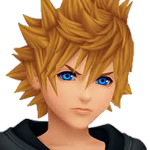
For example I have a model like below:
![[Image: G2.png]](https://dl.dropbox.com/u/26318462/G2.png)
The mask in the image is part of the character's face, like a whole mesh, therefore I cannot take it off.
So how would I separate the mask from the face?
Thanks for reading.
How would I go about doing this in 3DS Max?
For example I have a model like below:
The mask in the image is part of the character's face, like a whole mesh, therefore I cannot take it off.
So how would I separate the mask from the face?
Thanks for reading.

 What file format do you export as?
 but the model was "boxy" which was one of the reasons I switched over to 3DS Max. And the UV was out of place since the mask was removed XD
![[Image: Boxy.png]](https://dl.dropbox.com/u/26318462/Bleach/SPR/Boxy.png)
![[Image: Non-Boxy.png]](https://dl.dropbox.com/u/26318462/Bleach/SPR/Non-Boxy.png)