Posts: 362
Threads: 8
Joined: Dec 2014
05-17-2016, 08:45 PM
(This post was last modified: 05-17-2016, 08:45 PM by nobody231.)
(05-17-2016, 09:48 AM)LDEJRuff Wrote: Any Blender scripts?
Most people here suck at Blender, so we Blender users are out of luck for scripts.
(05-16-2016, 11:17 PM)ghostpotato Wrote: To RTB: Is there any way to export the models from 3DS Max and retain all of the textures, without having to re-apply them in Blender? If I export as .dae I get green, pink, and white lines all over my model, and .obj doesn't give me any textures at all.
Export as FBX, that's the best way to do it.
Posts: 20
Threads: 0
Joined: Oct 2015
05-18-2016, 11:49 AM
(This post was last modified: 05-18-2016, 11:49 AM by ghostpotato.)
(05-17-2016, 08:45 PM)nobody231 Wrote: (05-17-2016, 09:48 AM)LDEJRuff Wrote: Any Blender scripts?
Most people here suck at Blender, so we Blender users are out of luck for scripts.
(05-16-2016, 11:17 PM)ghostpotato Wrote: To RTB: Is there any way to export the models from 3DS Max and retain all of the textures, without having to re-apply them in Blender? If I export as .dae I get green, pink, and white lines all over my model, and .obj doesn't give me any textures at all.
Export as FBX, that's the best way to do it.
Then what? Blender displays my FBX without textures. Or am I using the wrong utility?  Sorry if I'm asking a lot of questions; I'm just really confused.
Posts: 362
Threads: 8
Joined: Dec 2014
(05-18-2016, 11:49 AM)ghostpotato Wrote: (05-17-2016, 08:45 PM)nobody231 Wrote: (05-17-2016, 09:48 AM)LDEJRuff Wrote: Any Blender scripts?
Most people here suck at Blender, so we Blender users are out of luck for scripts.
(05-16-2016, 11:17 PM)ghostpotato Wrote: To RTB: Is there any way to export the models from 3DS Max and retain all of the textures, without having to re-apply them in Blender? If I export as .dae I get green, pink, and white lines all over my model, and .obj doesn't give me any textures at all.
Export as FBX, that's the best way to do it.
Then what? Blender displays my FBX without textures. Or am I using the wrong utility? Sorry if I'm asking a lot of questions; I'm just really confused.
That's weird, exporting from 3DS Max as an FBX retains all texture information. What version of Max are you using, and what version of Blender are you using?
Posts: 20
Threads: 0
Joined: Oct 2015
(05-18-2016, 05:22 PM)nobody231 Wrote: (05-18-2016, 11:49 AM)ghostpotato Wrote: (05-17-2016, 08:45 PM)nobody231 Wrote: Most people here suck at Blender, so we Blender users are out of luck for scripts.
Export as FBX, that's the best way to do it.
Then what? Blender displays my FBX without textures. Or am I using the wrong utility? Sorry if I'm asking a lot of questions; I'm just really confused.
That's weird, exporting from 3DS Max as an FBX retains all texture information. What version of Max are you using, and what version of Blender are you using?
I'm using Autodesk 3DS Max 2014 on my Windows 10 VM, and Blender 2.77a on my Mac.
Posts: 362
Threads: 8
Joined: Dec 2014
(05-19-2016, 07:56 PM)ghostpotato Wrote: (05-18-2016, 05:22 PM)nobody231 Wrote: (05-18-2016, 11:49 AM)ghostpotato Wrote: Then what? Blender displays my FBX without textures. Or am I using the wrong utility? Sorry if I'm asking a lot of questions; I'm just really confused.
That's weird, exporting from 3DS Max as an FBX retains all texture information. What version of Max are you using, and what version of Blender are you using?
I'm using Autodesk 3DS Max 2014 on my Windows 10 VM, and Blender 2.77a on my Mac.
Then... there shouldn't be a problem! I dunno, I guess you're going to have to apply them the old-fashioned way. Sorry I can't be of more use.
Posts: 20
Threads: 0
Joined: Oct 2015
(05-19-2016, 08:52 PM)nobody231 Wrote: (05-19-2016, 07:56 PM)ghostpotato Wrote: (05-18-2016, 05:22 PM)nobody231 Wrote: That's weird, exporting from 3DS Max as an FBX retains all texture information. What version of Max are you using, and what version of Blender are you using?
I'm using Autodesk 3DS Max 2014 on my Windows 10 VM, and Blender 2.77a on my Mac.
Then... there shouldn't be a problem! I dunno, I guess you're going to have to apply them the old-fashioned way. Sorry I can't be of more use.
That's OK. It's not your fault! I'm still not clear on one thing (prepare yourself for the noob question): how do I apply textures in Blender?
Posts: 358
Threads: 107
Joined: May 2008
(05-18-2016, 05:22 PM)nobody231 Wrote: ...what version of Blender are you using?
2.76b on my Windows laptop, which is soon to automatically upgrade to Windows 10.
Posts: 362
Threads: 8
Joined: Dec 2014
05-22-2016, 06:38 PM
(This post was last modified: 05-22-2016, 06:39 PM by nobody231.)
(05-21-2016, 10:03 AM)LDEJRuff Wrote: (05-18-2016, 05:22 PM)nobody231 Wrote: ...what version of Blender are you using?
2.76b on my Windows laptop, which is soon to automatically upgrade to Windows 10.
That should be fine. What was your problem again?
EDIT: Oh, you wanted a script. I don't think many people here know how to make Blender scripts, so we're out of luck.
Posts: 115
Threads: 3
Joined: Jan 2014
(05-19-2016, 11:02 PM)ghostpotato Wrote: (05-19-2016, 08:52 PM)nobody231 Wrote: (05-19-2016, 07:56 PM)ghostpotato Wrote: I'm using Autodesk 3DS Max 2014 on my Windows 10 VM, and Blender 2.77a on my Mac.
Then... there shouldn't be a problem! I dunno, I guess you're going to have to apply them the old-fashioned way. Sorry I can't be of more use.
That's OK. It's not your fault! I'm still not clear on one thing (prepare yourself for the noob question): how do I apply textures in Blender?
Make sure you're using the right viewport settings. Blender has a nasty habit of defaulting to not showing textures.
Posts: 20
Threads: 0
Joined: Oct 2015
(05-22-2016, 09:25 PM)MandL27 Wrote: (05-19-2016, 11:02 PM)ghostpotato Wrote: (05-19-2016, 08:52 PM)nobody231 Wrote: Then... there shouldn't be a problem! I dunno, I guess you're going to have to apply them the old-fashioned way. Sorry I can't be of more use.
That's OK. It's not your fault! I'm still not clear on one thing (prepare yourself for the noob question): how do I apply textures in Blender?
Make sure you're using the right viewport settings. Blender has a nasty habit of defaulting to not showing textures.
I figured out how to turn on textures (Alt+Z) and I get this:

This is also what I get if I export to .dae. Am I doing something wrong?
Posts: 4,554
Threads: 29
Joined: May 2008
(05-23-2016, 05:35 PM)ghostpotato Wrote: I figured out how to turn on textures (Alt+Z) and I get this:
*image*
This is also what I get if I export to .dae. Am I doing something wrong? Redownload the script in the first post, and re-import the model. Make sure the "Disable vertex colours?" option is checked (it should be on by default). Then re-export the model, and try importing it again.
Posts: 20
Threads: 0
Joined: Oct 2015
05-24-2016, 01:59 AM
(This post was last modified: 05-24-2016, 02:00 AM by ghostpotato.)
(05-23-2016, 07:18 PM)Random Talking Bush Wrote: (05-23-2016, 05:35 PM)ghostpotato Wrote: I figured out how to turn on textures (Alt+Z) and I get this:
*image*
This is also what I get if I export to .dae. Am I doing something wrong? Redownload the script in the first post, and re-import the model. Make sure the "Disable vertex colours?" option is checked (it should be on by default). Then re-export the model, and try importing it again.
Here you go...
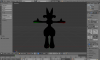
. Same thing. Should I be checking "Use .png instead of .dds?"?
Posts: 362
Threads: 8
Joined: Dec 2014
(05-24-2016, 01:59 AM)ghostpotato Wrote: (05-23-2016, 07:18 PM)Random Talking Bush Wrote: (05-23-2016, 05:35 PM)ghostpotato Wrote: I figured out how to turn on textures (Alt+Z) and I get this:
*image*
This is also what I get if I export to .dae. Am I doing something wrong? Redownload the script in the first post, and re-import the model. Make sure the "Disable vertex colours?" option is checked (it should be on by default). Then re-export the model, and try importing it again.
Here you go...
. Same thing. Should I be checking "Use .png instead of .dds?"?
Don't use the texture view, that's broken. Use material view, and put up some lights, that shows what it should look like during render.
Posts: 20
Threads: 0
Joined: Oct 2015
(05-24-2016, 06:46 PM)nobody231 Wrote: (05-24-2016, 01:59 AM)ghostpotato Wrote: (05-23-2016, 07:18 PM)Random Talking Bush Wrote: Redownload the script in the first post, and re-import the model. Make sure the "Disable vertex colours?" option is checked (it should be on by default). Then re-export the model, and try importing it again.
Here you go...
. Same thing. Should I be checking "Use .png instead of .dds?"?
Don't use the texture view, that's broken. Use material view, and put up some lights, that shows what it should look like during render.

... Yay for purple, I guess?
Posts: 362
Threads: 8
Joined: Dec 2014
05-25-2016, 07:56 PM
(This post was last modified: 05-25-2016, 08:32 PM by nobody231.)
(05-24-2016, 09:17 PM)ghostpotato Wrote: (05-24-2016, 06:46 PM)nobody231 Wrote: (05-24-2016, 01:59 AM)ghostpotato Wrote: Here you go...
. Same thing. Should I be checking "Use .png instead of .dds?"?
Don't use the texture view, that's broken. Use material view, and put up some lights, that shows what it should look like during render.
... Yay for purple, I guess?
Textures are broken. Except for the eye texture, all of the other texture paths are broken. You'll have to manually reapply them through the Material Editor. Since I am too lazy to help you (I know, I'm a jerk), use this guide: en.wikibooks.org/wiki/Blender_3  _Noob_to_Pro
|