


02-29-2020, 07:49 PM
(This post was last modified: 02-29-2020, 08:35 PM by AFruitaday!.)
| Important Announcement |
| Forum has been made read-only. Please click here for more information or here to return to The Spriters Resource. |
The VG Resource
›
The Resources
›
The Spriters Resource
›
Project Organization

 Kaneko Ripping Project
Kaneko Ripping Project
|
Kaneko Ripping Project
|

03-05-2020, 08:06 PM
Cyvern - The Dragon Weapons:
Schwarz / Vais 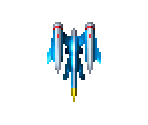 Lady Master Of Kung Fu: Miscellaneous Screens 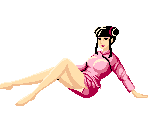 I'm surprised that this has NSFW content on it, it makes sense because of the Gals Panic series.
03-06-2020, 11:00 AM
03-07-2020, 09:54 PM
03-08-2020, 01:37 PM
03-10-2020, 11:05 AM
03-11-2020, 10:11 AM
Heavy Unit (PCE):
Death Bringer 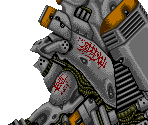 Effects 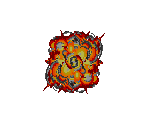 Ending 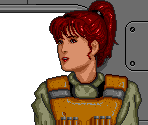 Flap Bones 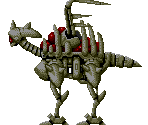 Floating Fortress  Font  Hard Shell I & II 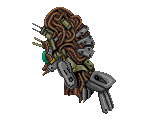 Heavy Unit  Logos  MVR-000 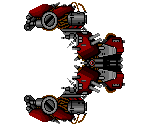
03-13-2020, 07:54 PM
Air Buster (PCE):
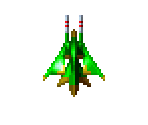
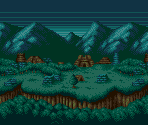
Enemies 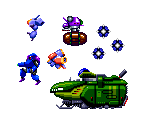 The first home console game sprite ripping is done. The small thing are the backgrounds. Isn't there like a layer removal tool or map viewer? 
03-13-2020, 11:13 PM
If you're using mednafen you can use ctrl+1 or ctrl+2 to disable backgrounds or sprites, but as far as I know there's no method of disabling individual layers.
03-16-2020, 08:42 PM
Peetan:
Ending 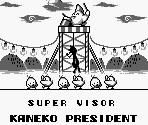 Font  General Sprites 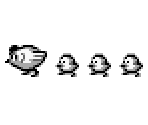 Mini Games 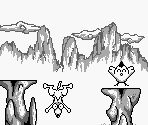 One handheld game is done. The only other one is Berlin No Kabe for Game Gear. 
03-18-2020, 07:31 PM
(03-13-2020, 07:54 PM)AFruitaday! Wrote: The first home console game sprite ripping is done. The small thing are the backgrounds. Isn't there like a layer removal tool or map viewer? BizHawk does have a background viewer however PC Engine compatibility is hit or miss depending on game with some games being glitchy or just crash in game (TV Sports Football). Just to note the console only has one background layer, the SuperGrafx addon does have two background layers though. |
|
« Next Oldest | Next Newest »
|





Users browsing this thread: 2 Guest(s)