


As per the front page, it seems people aren't adding icons and may not know how. I have thrown a little tutorial together using Blender and Paint.net. The process is simple and once you are used to it, you can have both icons done in under three minutes. Below, I have attached three files, a large icon sized picture, a small icon sized picture and the tutorial. Click on them to download them. If you have any questions, ask me here or pm.
| Important Announcement |
| Forum has been made read-only. Please click here for more information or here to return to The Spriters Resource. |
|
Icon creating tutorial
|
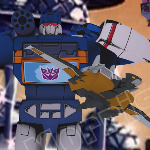
Ahhh, forgot the lighting. I set my textures to shadeless in Blender when doing my icons. That way there is no need to mess around with lighting for a catalogue pic. For a simple icon, there is no need to mess around with lighting.
The tutorial in the first post has been edited with that step added. |
|
« Next Oldest | Next Newest »
|

Users browsing this thread: 1 Guest(s)