Posts: 1,567
Threads: 59
Joined: Feb 2012
So I started using 3D Via prtscrn and it works perfectly together with dolphin's texture dump which I didn't expect.
The reason why I prefer 3D Via is that it maps the textures correctly so you don't have to remap everything.
Now I have a small problem with the models in 3ds max.
[spoiler=HUGE image]
![[Image: helpiedelp.png]](http://img94.imageshack.us/img94/9045/helpiedelp.png)
Don't mind the taskbar

[/spoiler]
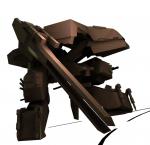
As you can see, I had to make the ambient fully white to even see the model, or else it will be black.
On the other side, is when I render it. It's totally messy and things. I want to know how to fix it.
(Oh, and who can guess from which game this model is, gets a cookie
)
Posts: 403
Threads: 27
Joined: Oct 2008
Ah, should be an easy fix. Apply a "Normals" modifier, which will automatically flip the normals of your model to the outside.
Posts: 1,567
Threads: 59
Joined: Feb 2012
That worked, thanks! Now I can start making the rips!
(05-18-2012, 04:48 AM)Friedslick6 Wrote: Ah, should be an easy fix. Apply a "Normals" modifier, which will automatically flip the normals of your model to the outside.
Posts: 1,567
Threads: 59
Joined: Feb 2012
Another problem~!
[spoiler=HUGE IMAGE!]
![[Image: helphs.png]](http://img585.imageshack.us/img585/6126/helphs.png)
[/spoiler]
Help please

Posts: 4,554
Threads: 29
Joined: May 2008
Are all the vertices welded before you unified the normals?
Posts: 1,567
Threads: 59
Joined: Feb 2012
I did that, and it worked a little bit. Some parts were still transparent.
Here are the original files. The files are for Super Shadow, but his problem is the same.
(05-19-2012, 06:38 PM)Random Talking Bush Wrote: Are all the vertices welded before you unified the normals?
Posts: 105
Threads: 2
Joined: Oct 2011
Posts: 105
Threads: 2
Joined: Oct 2011
05-20-2012, 12:17 PM
(This post was last modified: 05-20-2012, 12:31 PM by Orwell.)
In this case unfortunately half of the model have a corrupted uvmap, so 3dsmax and other 3d app can view the textures correctly.
The black areas are the mesh without a uvmap:
![[Image: test1ia.jpg]](http://img339.imageshack.us/img339/5/test1ia.jpg)
So u need to remaps them.
About the meshes: They are fixable in some ways. One of them could be to esport them in another format and then reimport into max without the normals applyng the smooth group.
EDIT: If u want flip the normals of only some parts of the mesh directly into max, u can select the mesh by elements, then..right click and select Flip Normals Mode. So u can fix them manually.





![[Image: test1ia.jpg]](http://imageshack.us/photo/my-images/339/test1ia.jpg/)